Error Connection To SQLError: Error: connecting to SQL Server
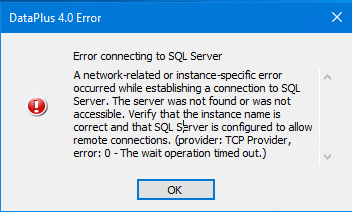
A network-related or instance-specific error occurred while extablishing a connection to SQL server. The server was not found or was not accessible. Verify that the instance name is correct and that SQL Server is configured to allow remote connections. (provider: TCP Provider, error: 0 - The wait operation timed out.)
Solutions - On Server
Verify SQL Server Services are Running. Open the SQL Server Configuration Manager and ensure the SQL Server (Instance Name) status is "Running".
Enable Remote Connections. In SQL Server Management Studio (SSMS), right-click your server instance, select Properties, go to Connections, and check Allow remote connections to this server.
Check TCP/IP Protocol. In the SQL Server Configuration Manager, navigate to SQL Server Network Configuration > Protocols for [YourInstance]. Ensure TCP/IP is "Enabled".
Start SQL Server Browser Service. This service is required for connecting to named instances. Verify it is running in the SQL Server Configuration Manager.
Configure Windows Firewall. Ensure port 1433 (default TCP port) and the SQL Server Browser service port (UDP 1434) are allowed through the firewall.
Solutions - On Client
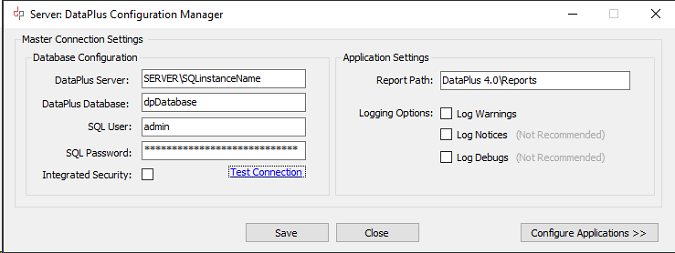
Validate Connection String. Confirm the server name and instance name are correct (e.g., ServerName\InstanceName). If connecting to a default instance, use only the ServerName or (local).